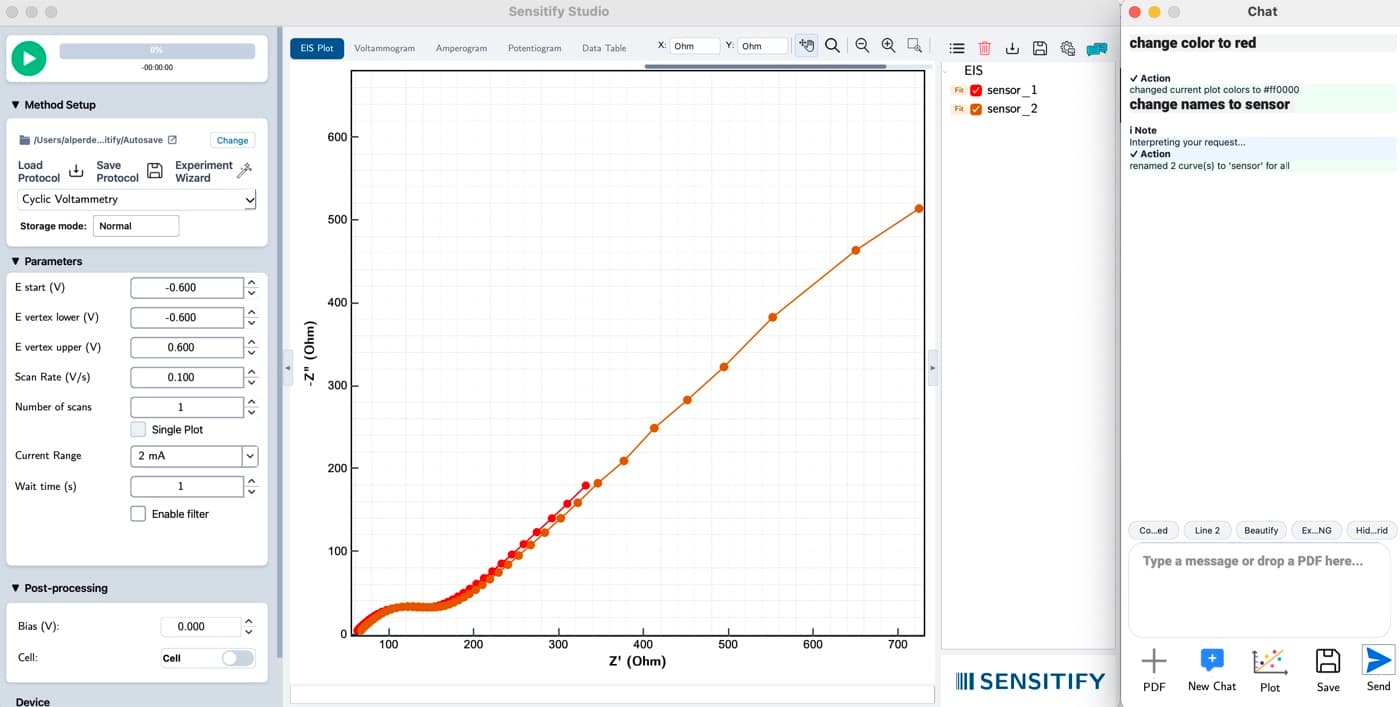
The local LLM adds a chat panel to Sensitify Studio. Rename a stack of scans, recolour a plot, walk through what a voltammogram shows, or ask what to do next.
It runs entirely on your machine. Your data never leaves the laptop.
Ask questions about your data and drive Studio by natural language. Fully on-device.
The local LLM adds a chat panel to Sensitify Studio. Rename a stack of scans, recolour a plot, walk through what a voltammogram shows, or ask what to do next.
It runs entirely on your machine. Your data never leaves the laptop.
Studio ships a quantised open-weights language model that loads into CPU or GPU memory on launch. The first run downloads the weights once; after that it is fully offline.
The model is wired to Studio's data layer and plot controls through a tool-use interface. It can read your scans, parameters, and fit results, and make the same edits you would make by clicking.
Every action the assistant takes is recorded in an action log: you see exactly which trace it renamed, which parameter it changed, which fit it ran. Accept or undo in one click.
Local LLM
Screenshot coming
Model
Typical: 8B-class quantised
Default is a compact instruction-tuned model sized for laptop use. A larger option is available for workstations with enough memory.
Compute
CPU by default; GPU (CUDA, Metal, or ROCm) used automatically when available.
Scope
Typical: Plot edits
Choose what the assistant can touch: read-only, plot edits, analysis actions, or full access. Scope is remembered per project.
Context
Which scans and analyses are in the assistant's view. Pinning a subset keeps the context focused and responses precise.
Walkthrough
Batch-label a CV calibration series
Result
A labelled scan list ready for peak finding, with the renames and calibration fit reproducible from the chat log.
The assistant panel is a toggle in the right rail of Sensitify Studio. It ships with the software; the model downloads on first use. Nothing leaves your machine.
Other analysis tools