
Peak finding locates the local maxima and minima on a voltammogram and reads off their potential, current, and charge. It runs from the Pk badge on any voltammetry experiment in the right sidebar.
How it works
Studio scans the voltammogram for local maxima (anodic peaks, where the current is at a maximum within a window) and minima (cathodic peaks, at a minimum), records the potential and current at each one, and overlays markers on the plot.
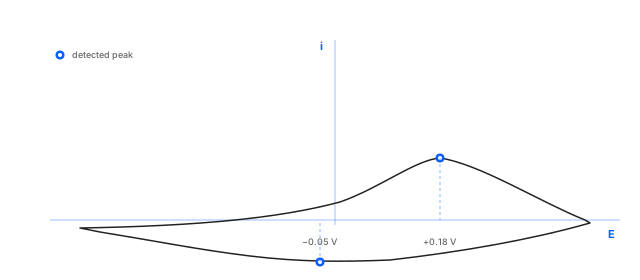
Run peak finding
In the right sidebar, every voltammetry experiment carries a Pk badge next to its name. Click it.
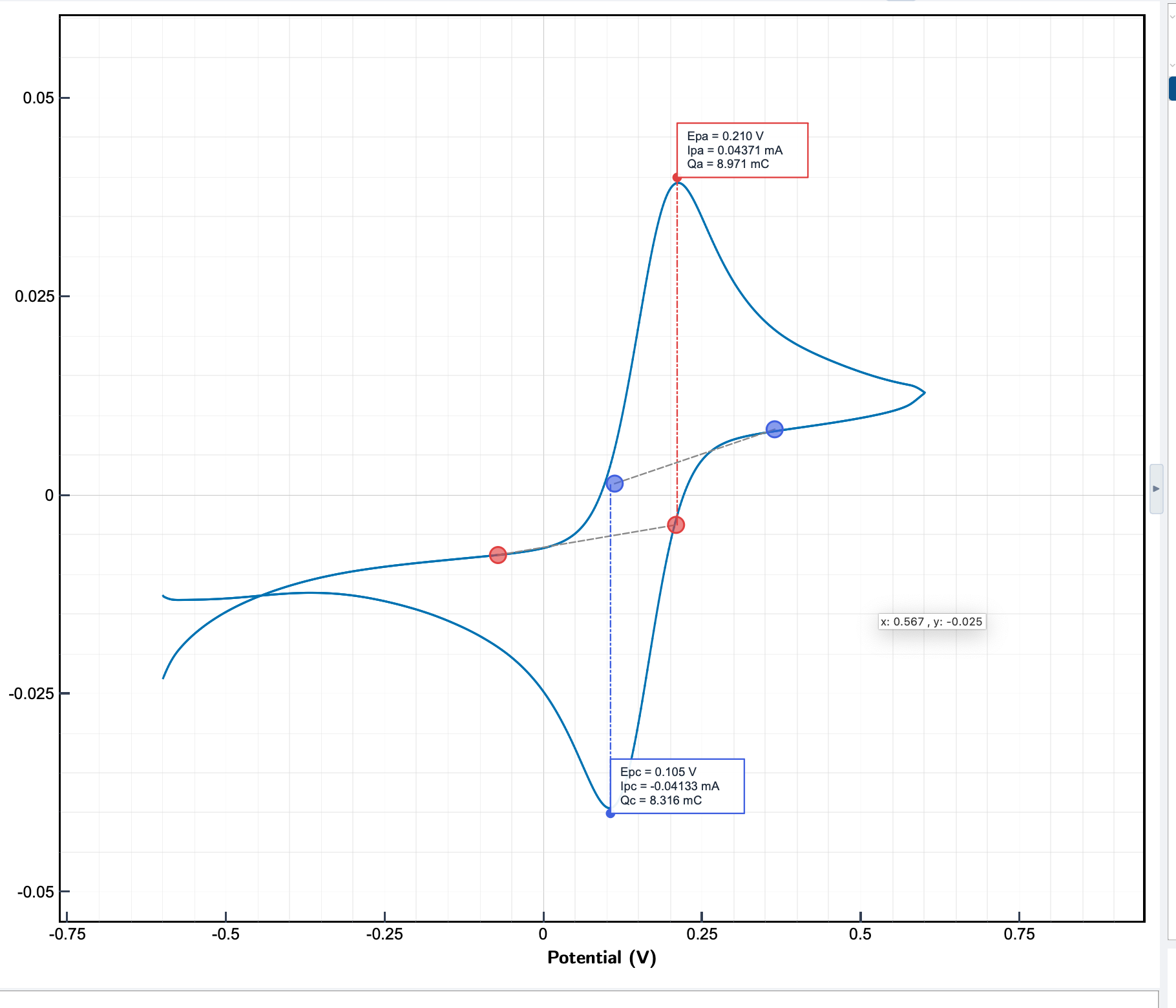
Studio marks the detected peaks on the plot. The Pk badge stays highlighted while the markers are applied and greys out when the peaks are cleared. The Pk window lets you move a detected peak if the automatic position is off.
The full action recorded on a CV trace:
Click the Pk badge → markers and Epa / Ipa / Qa values appear on the trace.
What Studio finds
For every detected peak you get:
- The potential at the peak position, in V (
Epafor anodic peaks,Epcfor cathodic peaks). - The current at the peak (
Ipa,Ipc), in A or mA depending on the current range used during the measurement. - The charge under each peak (
Qa,Qc), automatically integrated above a baseline Studio detects between the peak and its neighbouring inflection points. See integrate a peak for what the Q values mean and how to use them.
Forward-sweep and reverse-sweep peaks are marked separately when both are present.
Reading the results
Peak values appear next to their markers on the plot and in the experiment's entry in the right sidebar. Hover or click a marker to highlight a single peak.
For converting the auto-computed Q values into surface
coverage, coulombic efficiency, or deposited mass, see
integrate a peak.